Marco

Where Used for Salesforce
Marco. Polo. Found.

Click any component in Setup — a field, flow, Apex class, or layout — and Marco shows everywhere it's used, both directions, in a side panel. Then step back and explore your entire org schema as a 3D universe.

Currently in private beta on the Chrome Web Store — beta access is free.
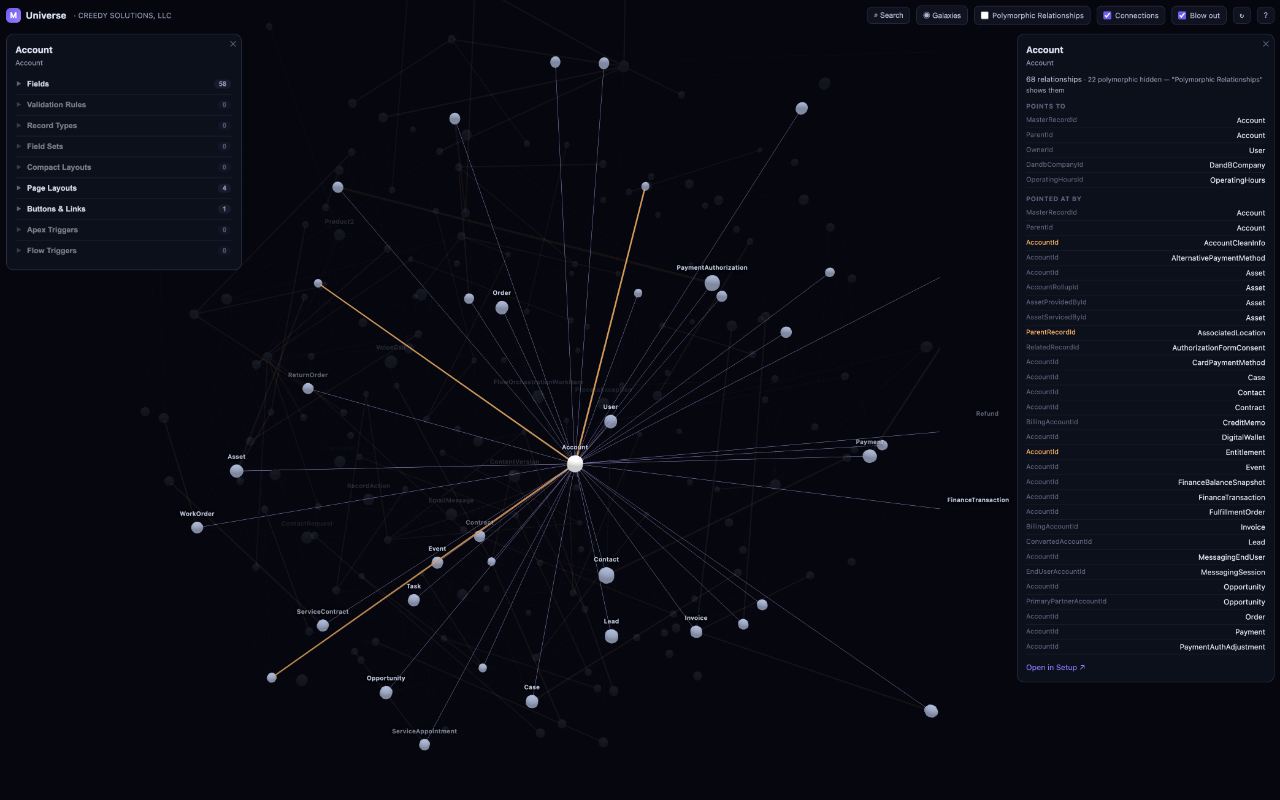
Marco's Universe view: an org's schema as a 3D galaxy, with an Object Manager-style detail card and a relationships card for the focused object
Explore in 3D — every object a star, every relationship a line, each managed package its own galaxy.
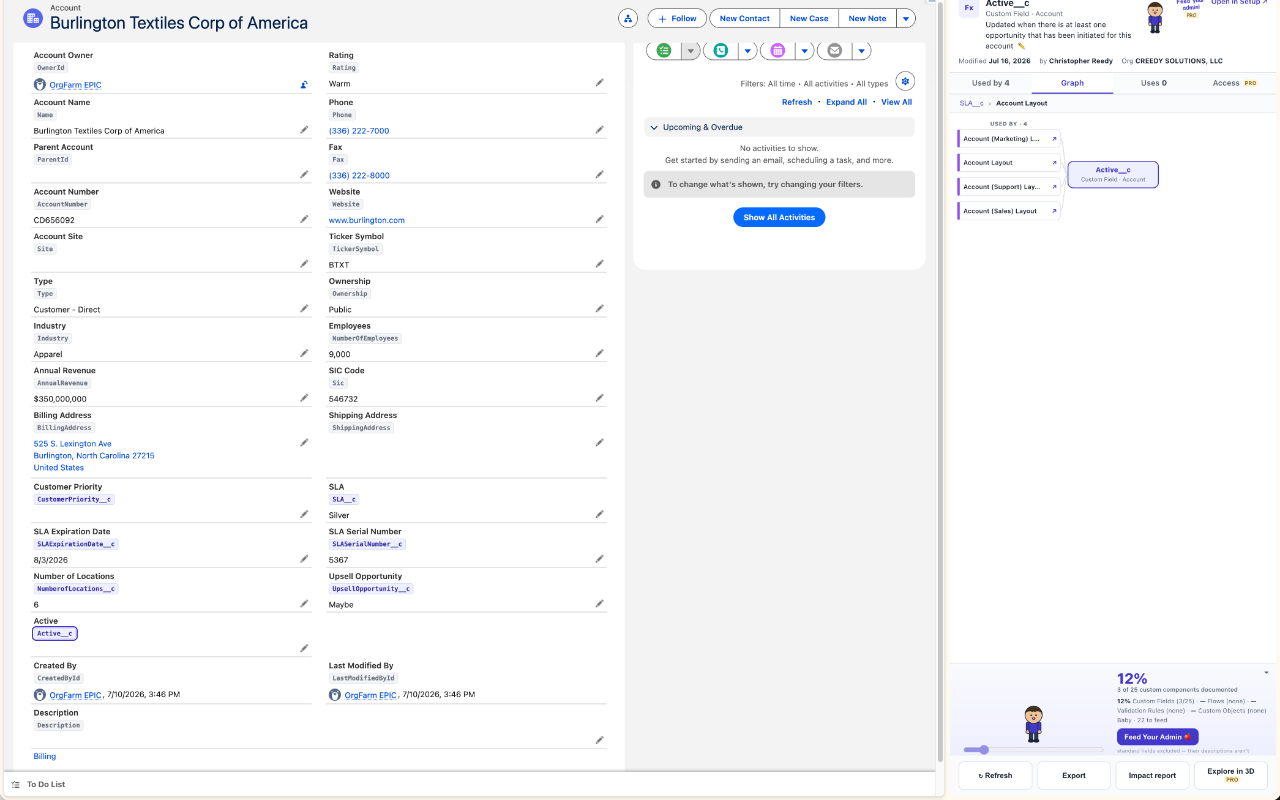
A Salesforce record page with Marco's API-name overlay chips under each field, and the Marco side panel showing a custom field's dependency graph
API names on every field — one toggle, every label chip is clickable, straight into the dependency graph.

The question it answers: “if I change this, what breaks?”

Marco is built for Salesforce admins, architects, and developers who are tired of clicking through Setup to reverse-engineer their own org.

🕸️

Dependency graph

Uses on one side, used-by on the other. Click any node to re-walk the graph from there — breadcrumbs bring you back.

🌌

Explore in 3D

Your whole schema as a navigable universe. Warp-search any object, show or hide galaxies, and open an Object Manager-style detail card where every row deep-links into Setup.

Flow read/write detection

Flows are tagged with whether they read or write the focused field — resolved through variables, formulas, and $Record.

🔍

Standard-field where-used

Marco's own metadata scan covers what Salesforce's dependency API can't see — layouts, validation rules, active flows, quick actions, compact layouts.

📄

Impact reports

A printable “what breaks if I change this” document with risk tiles and a generated checklist — attach it to your change request.

🐣

Feed Your Admin

Documentation-health gamification: a coverage score, an impact-sorted queue, and a pixel admin that grows from egg to superhero as your org gets documented.

Privacy isn't a feature. It's the architecture.

Your org's metadata never leaves your browser.

  • No servers. Marco's only network calls are from your browser directly to your own Salesforce org's APIs, using the session you already have.
  • No accounts, no telemetry, no tracking. We don't know when you install it, open it, or what org you point it at — and we like it that way.
  • No remote code. Everything ships in the extension and is reviewed by the Chrome Web Store.
  • Read-only in production. The only thing Marco can ever write is a component description — and only in sandboxes and Developer Edition orgs, at your explicit request.

Read the full privacy policy →

Simple pricing, no subscription

Free while in beta. When Marco launches publicly:

Free

$0
forever
  • Inspect & dependency graph
  • Search any component
  • API-name overlay
  • Graph exports (PNG & Mermaid)
  • Feed Your Admin
  • Setup deep links

PRO

$29
one-time — yours for good
  • Everything in Free
  • Explore in 3D
  • Impact reports
  • Access & permission tracing